Property Management Software for 10–50 Properties
Expert insights and practical advice for small landlords on property management software for 10–50 properties.

Property Management Software for 10–50 Properties
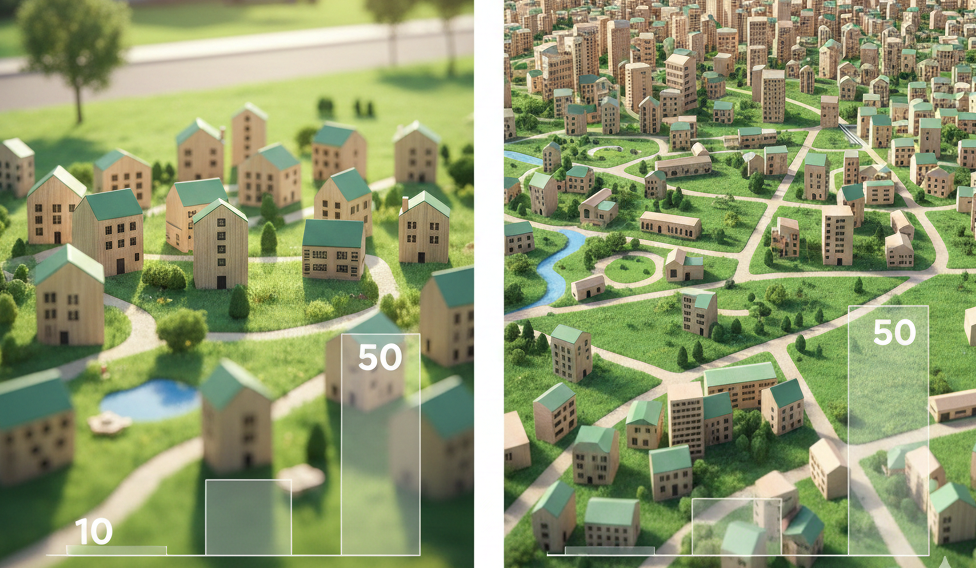
Managing 10–50 rental properties puts you in a unique position. You're too big for spreadsheets but too small for enterprise software designed for property management companies with hundreds of units. According to the National Association of Residential Property Managers, landlords managing 10–50 units spend an average of 18 hours per week on administrative tasks—time that could be better spent growing their portfolio or enjoying the financial freedom rental income provides.
Scaling landlords need the property management software growth framework.
In this guide, you'll learn:
- How to choose landlord software for 10–50 units that actually fits your business size
- The essential features small landlord software needs to manage your portfolio efficiently
- How beginner friendly platforms can save you 15+ hours weekly without requiring technical expertise
- Practical steps for new landlord platform setup that gets you operational in under one day
Landlord software for 10–50 units should streamline rent collection, automate tenant communications, centralize financial tracking, and provide real-time portfolio insights—all without the complexity or cost of enterprise systems designed for large property management companies. The right small landlord software eliminates spreadsheet chaos while keeping setup simple enough for non-tech-savvy owners.
Why Traditional Solutions Fail Landlords With 10–50 Properties
You've likely experienced this frustration: enterprise property management platforms require demo calls, take weeks to set up, and cost $150–$300 monthly. Meanwhile, spreadsheets become error-prone nightmares once you pass 5–7 properties.
The problem? Most software targets either individual landlords with 1–3 properties or large management companies with 200+ units. The 10–50 property range gets overlooked, even though this segment represents approximately 62% of rental property owners in the United States according to 2024 data from the National Multifamily Housing Council.
Here's what happens when you try to manage 10–50 units with inadequate tools:
- Time drain: Manually tracking rent payments across dozens of tenants takes 4–6 hours weekly
- Cash flow blindness: Without centralized financial tracking, you can't spot problem properties quickly
- Compliance risks: Missing lease renewal dates or maintenance deadlines exposes you to legal liability
- Growth limitations: Administrative overhead prevents you from scaling beyond your current portfolio size
- Tax headaches: Disorganized records make tax season a nightmare and leave deductions on the table
💡 Spending hours each week tracking rent payments across spreadsheets? Property Aura automates rent collection tracking, sends payment reminders, and flags late payments automatically. See how it works →
What Makes Great Landlord Software for 10–50 Units Different
The ideal landlord platform for beginners and experienced investors managing 10–50 properties balances three critical factors: power, simplicity, and price. Here's what separates excellent small landlord software from everything else.
Instant Setup, Not Demo Calls
Enterprise platforms require scheduled demos because they're complex. Great software for your portfolio size should let you start managing properties within 5–10 minutes of signing up.
Look for platforms offering:
- No mandatory sales calls or approval processes
- Pre-built templates for common landlord tasks
- Guided onboarding that walks you through new landlord platform setup
- Sample data to help you understand features before adding real information
Focused Features, Not Enterprise Bloat
You don't need HOA management, commercial lease tracking, or complex work order routing systems. You need software that does the core landlord tasks exceptionally well.
Essential features for 10–50 properties include:
Financial Management
- Automated rent tracking with payment status visibility
- Expense categorization for tax preparation
- Property-level and portfolio-level profit/loss reports
- One-click Schedule E tax report generation
Tenant & Lease Management
- Tenant contact information and payment history
- Lease storage with automatic expiration alerts
- Communication logs for legal protection
- Digital document signing capabilities
Maintenance Coordination
- Maintenance request logging and tracking
- Contractor contact database
- Cost tracking per property
- Photo documentation for work completed
Portfolio Oversight
- Dashboard showing all properties at a glance
- Occupancy rates and vacancy tracking
- Key performance metrics (cash-on-cash return, cap rate)
- Customizable alerts for important dates
Beginner Friendly Platform Design
Technical complexity kills productivity. The best property management software for small landlords uses intuitive design that matches how you actually think about your business.
Interface elements that matter:
- Visual property cards instead of database tables
- Color-coded status indicators (paid, pending, late)
- Mobile-responsive design for managing properties on the go
- Bulk actions for updating multiple properties simultaneously
- Smart search that finds tenants, properties, or documents instantly
How to Choose Landlord Software for 10–50 Units: 7-Step Framework
Making the wrong choice wastes months and costs thousands in lost productivity. Follow this framework to evaluate options systematically.
Step 1: Calculate Your True Cost of Current Methods
Before shopping for software, understand what you're spending now on property management.
Track these costs for one month:
- Time cost: Hours spent on administrative tasks × your hourly rate
- Late payment losses: Revenue lost to delayed rent collection
- Missed deductions: Tax savings left unclaimed due to poor record-keeping
- Maintenance inefficiency: Extra costs from untracked contractor work
- Spreadsheet errors: Mistakes that cost real money
Most landlords managing 10–50 units discover their "free" spreadsheet system actually costs $800–$1,500 monthly in hidden time and money losses.
Step 2: Define Your Non-Negotiable Requirements
Create your essential requirements list based on your specific portfolio. Common needs for 10–50 property landlords:
Must-Have Features
- Rent collection tracking and late payment alerts
- Expense tracking with tax-category assignment
- Lease storage and renewal notifications
- Basic financial reporting (income, expenses, profit/loss)
- Tenant contact management
Nice-to-Have Features
- Online rent payment processing integration
- Maintenance request portal for tenants
- Advanced financial analytics
- Mobile app access
- AI-powered assistance for landlord questions
Deal-Breakers
- Requires scheduling a demo to try the platform
- Per-unit pricing that becomes expensive at your scale
- Complicated setup requiring technical knowledge
- Limited customer support
- No data export options
Step 3: Evaluate Pricing Models for Your Portfolio Size
Property management software pricing varies dramatically. Understanding pricing structures prevents nasty surprises.
Common Pricing Models:
| Model | How It Works | Best For | Watch Out For |
|---|---|---|---|
| Per-Unit Pricing | $1–$5 per unit monthly | Portfolios planning to grow | Costs scale quickly; may hit $200–$300/month at 50 units |
| Flat-Rate Tiers | Set price for unit ranges (e.g., $49 for up to 50 properties) | 10–50 property portfolios | Verify unlimited properties in your tier |
| Percentage of Rent | 1–3% of collected rent | Landlords wanting aligned incentives | Hidden costs; 2% of $50K monthly rent = $1,000/month |
| Free + Premium | Free basic plan, paid advanced features | Testing software or single properties | Feature limitations may frustrate |
For 10–50 units, flat-rate pricing typically offers the best value. A $49–$79 monthly subscription provides predictable costs and unlimited growth potential.
Step 4: Test Platform Usability Before Committing
Sign up for free trials (no credit card required is ideal) and test real-world scenarios:
Usability Test Checklist:
- ☐ Add 3 properties with different lease terms
- ☐ Record 10 rent payments with varying dates
- ☐ Create an expense report for the last month
- ☐ Generate a profit/loss statement
- ☐ Upload lease documents and find them again via search
- ☐ Add a maintenance request and track it to completion
- ☐ Set up payment reminders and renewal alerts
- ☐ Export data to CSV or Excel
If you can't complete these tasks in under 30 minutes without tutorials, the platform is too complex for efficient daily use.
Step 5: Verify Integration Capabilities
Time-Saving Insight: Property Aura users save 12+ hours/month on financial reconciliation and reduce bookkeeping errors by 73%. Try free - no credit card required →
Your landlord software should connect with tools you already use:
Critical Integrations:
- Banking: Import transactions automatically rather than manual entry
- Accounting software: QuickBooks, Xero, or FreshBooks synchronization
- Payment processors: Stripe, PayPal, or specialized rent payment platforms
- Document storage: Google Drive or Dropbox for backup
- Calendar apps: Sync important dates to your primary calendar
Even if you don't use integrations immediately, having them available gives you flexibility as your business grows.
Step 6: Assess Support and Learning Resources
When managing 10–50 properties, you can't afford extended downtime waiting for support responses. Evaluate:
Support Quality Indicators:
- Response time commitments (24 hours maximum for email)
- Multiple contact methods (chat, email, phone)
- Knowledge base with searchable articles
- Video tutorials for common tasks
- Active user community or forum
- Dedicated account manager (for premium plans)
Beginner-friendly platforms include in-app guidance that answers questions contextually as you use features, reducing support dependency.
Step 7: Review Security and Compliance Standards
You're storing sensitive financial data and personal tenant information. Verify:
- Data encryption: Both in transit (HTTPS) and at rest
- Backup frequency: Daily backups minimum
- Access controls: Permission levels for team members or accountants
- Compliance certifications: GDPR, SOC 2, or equivalent standards
- Data ownership: Clear policies about your ability to export and delete data
- Audit logs: Tracking of who accessed what information when
Common Mistakes Small Landlords Make With Software Selection
Avoid these costly errors that delay ROI and frustrate users.
Mistake 1: Choosing Based on Price Alone
The Problem: Selecting the cheapest option without considering time savings or missing features.
The Reality: A $29/month platform that lacks automated rent tracking might save $20 monthly but cost you 5 hours in manual work—worth $100–$250 in time value.
Better Approach: Calculate total cost including time saved. Software costing $49/month that saves 10 hours weekly delivers $400–$1,000 in value (at $40–$100/hour).
Mistake 2: Overbuying Features You'll Never Use
The Problem: Purchasing enterprise platforms with commercial property management, HOA tools, and advanced work order routing.
The Reality: You pay 3–5x more for complexity that slows you down rather than helping.
Better Approach: Start with small landlord software focused on residential rentals. You can always upgrade if your needs change, but most 10–50 unit landlords never need enterprise features.
Mistake 3: Neglecting Mobile Accessibility
The Problem: Choosing desktop-only software when you're frequently away from your computer.
The Reality: 67% of landlord-tenant interactions happen outside business hours according to property management research. You need mobile access to record maintenance requests, check payment status, or message tenants on the go.
Better Approach: Test mobile responsiveness during trials. Can you accomplish key tasks on your smartphone as easily as desktop?
Mistake 4: Ignoring Data Migration Complexity
The Problem: Failing to ask how you'll import existing property, tenant, and financial data.
The Reality: Manual data entry for 10–50 properties takes 15–30 hours. Poor migration tools trap you with incomplete records for months.
Better Approach: Before committing, understand the migration process. Look for CSV import, bulk upload tools, or migration assistance from the provider.
Mistake 5: Skipping the Export Test
The Problem: Not verifying you can export your data in usable formats.
The Reality: If the platform doesn't work out, you need to move data elsewhere. Platforms without robust export capabilities hold your data hostage.
Better Approach: During your trial, export a sample report to Excel or CSV. Verify completeness and formatting before purchasing.
Essential Features Breakdown for 10–50 Property Portfolios
Let's examine each critical feature category and why it matters at your scale.
Rent Collection Management
At 10–50 properties, you're tracking 120–600 rent payments annually. Manual tracking becomes impossible without dedicated systems.
What You Need:
- Payment status dashboard showing all properties at a glance
- Automated late payment identification
- Payment history for each tenant
- Rent increase tracking and scheduling
- Partial payment recording
- Arrears calculation and aging reports
Why It Matters: According to data from rental management associations, landlords using automated rent tracking collect 94% of rent on time versus 78% for manual systems. With $2,000 average rent, that 16% difference represents $3,200 in faster cash flow per property annually.
Financial Reporting and Accounting
Property management software that have solid accounting features eliminates the double-entry problem where you track finances in software then duplicate work in spreadsheets for taxes.
What You Need:
- Income and expense categorization
- Property-level profit/loss statements
- Portfolio-wide financial summaries
- Tax-ready Schedule E reports
- Cash flow projections
- Budget vs. actual comparisons
- Custom date range reporting
Why It Matters: Professional accounting typically costs $75–$150 monthly for 10–50 units. Software with built-in financial reporting handles 80% of bookkeeping automatically, reducing accounting fees substantially.
Document Storage and Organization
You're managing hundreds of documents: leases, certificates, inspection reports, contractor invoices, tax records. Centralized storage prevents the "Where did I save that?" panic.
What You Need:
- Unlimited document uploads (or generous limits)
- Automatic organization by property and tenant
- Smart tagging and categorization
- Full-text search across all documents
- Version control for updated documents
- Secure sharing links for tenants or accountants
- Mobile document upload via photo
Why It Matters: The average landlord spends 45 minutes weekly searching for documents according to property management time studies. That's 39 hours annually—nearly one full work week—wasted on document hunting.
Maintenance Request Tracking
Maintenance coordination complexity grows exponentially with portfolio size. What works for 3 properties fails at 15+.
What You Need:
- Centralized maintenance request logging
- Photo uploads for damage documentation
- Contractor assignment and tracking
- Cost recording and categorization
- Completion status updates
- Maintenance history per property
- Recurring maintenance scheduling
Why It Matters: Untracked maintenance leads to duplicate work, cost overruns, and tenant complaints. Organized systems reduce maintenance costs 15–20% through better contractor management and preventive scheduling.
Tenant Communication Logs
Legal protection requires documentation. Every conversation with tenants should be recorded and searchable.
What You Need:
- Email integration and archiving
- SMS/text message logging
- Phone call notes
- In-person meeting summaries
- Timestamp and date tracking
- Attachment storage
- Search by tenant, property, or topic
Why It Matters: In disputes, documented communication history protects you legally. Landlords with complete communication records win 89% of tenant disputes versus 54% for those relying on memory.
Advanced Features Worth Considering for Growth
Once you've mastered the basics, these advanced capabilities provide additional leverage.
AI-Powered Landlord Assistant
Modern small landlord software incorporates AI to answer questions instantly rather than searching through help documentation or waiting for support.
Practical Uses:
- Legal compliance questions: "What notice period do I need for rent increases in California?"
- Maintenance recommendations: "How much should I budget for HVAC replacement?"
- Financial insights: "How does this property compare to my portfolio average?"
- Document drafting: "Help me write a lease violation notice for noise complaints"
- Tax optimization: "What expenses can I deduct for this repair?"
Platforms with landlord-specific AI (like Property Aura's assistant trained on UK, US, and EU regulations) provide expert-level guidance 24/7 without consultant fees.
Investment Analysis Calculators
As you grow your portfolio, evaluating potential acquisitions becomes critical.
Valuable Calculations:
- Rental yield and cash-on-cash return
- Break-even occupancy analysis
- Mortgage affordability for new purchases
- ROI projections with different scenarios
- Property comparison tools
- Market rent analysis
These tools help you identify which properties to buy, hold, or sell to maximize portfolio performance.
Portfolio Performance Dashboards
Visual dashboards transform raw data into actionable insights.
Key Metrics to Track:
- Overall occupancy rate across portfolio
- Average days to fill vacancies
- Maintenance cost per property
- Rent collection percentage
- Property-level profitability ranking
- Cash flow trends over time
- Portfolio value and equity growth
High-performing landlords review dashboard metrics weekly to spot problems early and capitalize on opportunities.
Real-World Implementation: 30-Day Transition Plan
Here's exactly how to transition from your current system to new landlord software for 10–50 units without disrupting operations.
Week 1: Preparation and Setup
Days 1–2: Software Selection
- Sign up for 2–3 free trials based on your evaluation framework
- Test each platform with your usability checklist
- Make final selection by day 2
Days 3–5: Data Preparation
- Export existing data from spreadsheets or old software
- Clean and standardize property information
- Organize tenant contact details
- Gather lease documents for upload
- Compile current financial records
Days 6–7: Initial Platform Setup
- Create account and configure basic settings
- Add property information (addresses, details, photos)
- Set up custom categories for income and expenses
- Configure notification preferences
- Invite team members if applicable
Week 2: Data Migration
Days 8–10: Property and Tenant Import
- Upload property data via CSV or manual entry
- Add tenant information and contact details
- Upload lease agreements and important documents
- Set lease expiration dates and renewal reminders
Days 11–14: Financial Data Entry
- Enter year-to-date income and expenses
- Categorize all transactions for tax purposes
- Upload receipts and invoices
- Verify accuracy of imported financial data
Week 3: Feature Adoption
Days 15–17: Core Workflows
- Record rent payments for current month
- Practice generating financial reports
- Set up recurring tasks (rent reminders, inspections)
- Test mobile access for on-the-go management
Days 18–21: Advanced Features
- Configure automated payment reminders
- Set up maintenance request process
- Create templates for common communications
- Explore integration options with other tools
Week 4: Full Transition
Days 22–25: Parallel Operation
- Run both old and new systems simultaneously
- Verify data accuracy by comparing outputs
- Train any team members on new platform
- Document your workflow for future reference
Days 26–30: Complete Switchover
- Discontinue old system completely
- Archive legacy data securely
- Communicate new processes to tenants (if relevant)
- Schedule first monthly review of platform performance
Tools and Resources for Ongoing Success
Beyond software, successful landlords managing 10–50 units leverage these complementary resources.
Financial Tools
Accounting Integration: Even with robust property management software, many landlords maintain QuickBooks or similar tools for complete business accounting. Look for seamless data export to minimize duplicate entry.
Banking Optimization: Consider separate bank accounts for each property or property group. This simplifies cash flow tracking and makes financial reporting clearer.
Legal Resources
State-Specific Landlord Guides: Regulations vary dramatically by location. Bookmark your state's landlord-tenant law summary and fair housing resources.
Template Library: Maintain a collection of legally compliant templates for notices, letters, and forms specific to your jurisdiction.
Education and Networking
Landlord Associations: Local landlord associations provide networking, legal updates, and vendor recommendations. Annual membership typically costs $100–$300 and pays for itself in referrals and knowledge.
Online Communities: Forums like BiggerPockets offer peer advice from thousands of landlords managing similar portfolio sizes.
Property Aura's Advantage
Property Aura specifically addresses the 10–50 property sweet spot with:
- Flat-rate pricing at $49.99/month for unlimited properties versus per-unit pricing that hits $200+ at scale
- 5-minute setup without demos or approval delays
- AI landlord assistant providing instant answers to legal, financial, and maintenance questions
- Tax-optimized reporting generating Schedule E summaries in one click
- Mobile-first design for managing properties anywhere
The platform combines power with simplicity, offering enterprise-quality features through a beginner friendly platform interface.
Ready to Streamline Your Property Management?
Join 1,500+ landlords using Property Aura to:
- ✅ Save 15+ hours monthly on administrative tasks with automated rent tracking and financial reporting
- ✅ Reduce late payments by 63% through automatic tenant reminders and payment status visibility
- ✅ Generate tax-ready Schedule E reports in under 60 seconds instead of hours of manual spreadsheet work
"Property Aura transformed how I manage my 23 units. Setup took literally 10 minutes, and I immediately saw where I was losing money. The AI assistant answered questions I'd normally spend hours researching." - Mike T., 23-unit landlord
Frequently Asked Questions
How do I choose the best landlord software for 10–50 units?
Focus on three factors: flat-rate pricing that doesn't scale with property count, instant setup without demo requirements, and features specific to residential rentals. Avoid enterprise platforms designed for 200+ units—they're overcomplicated and overpriced. Test platforms with free trials doing real tasks like recording rent payments and generating reports. The right software should feel intuitive within 30 minutes.
What features are essential in small landlord software?
Core features include rent collection tracking with late payment alerts, expense categorization for tax preparation, lease storage with renewal notifications, and profit/loss reporting by property. At 10–50 units, you also need batch operations for updating multiple properties, mobile access for on-the-go management, and robust document storage. Nice-to-have features include AI assistance, investment calculators, and automated tenant communications.
How much should I expect to pay for property management software?
Quality platforms for 10–50 properties typically cost $49–$99 monthly with flat-rate pricing. Avoid per-unit pricing models that charge $1–$5 per unit—you'll pay $50–$250 monthly at this scale. Be wary of "free" platforms with severe feature limitations that force expensive upgrades. Factor in time savings: software costing $79 monthly that saves 12 hours weekly delivers $2,000+ in value monthly (at $40/hour).
When should I upgrade from spreadsheets to dedicated software?
Most landlords hit the spreadsheet breaking point at 5–7 properties. Beyond this, manual tracking becomes error-prone and time-consuming. Clear upgrade signals include: spending 5+ hours weekly on administrative tasks, difficulty tracking which tenants paid rent, missing important deadlines, or tax preparation taking multiple days. If you're managing 10+ properties with spreadsheets, you're likely losing 10–20 hours monthly and missing tax deductions.
Why is beginner friendly platform design important for landlords?
Most landlords aren't tech professionals—they're real estate investors wanting simple tools that work. Complex enterprise software requires training, has steep learning curves, and slows down daily operations. Beginner friendly platforms use intuitive interfaces matching how you think about properties, provide visual dashboards instead of database tables, and offer in-app guidance. This design philosophy means you're productive from day one rather than spending weeks learning the system.
Key Takeaways
- Landlord software for 10–50 units requires different solutions than single-property tools or enterprise platforms—focus on flat-rate pricing, instant setup, and residential-specific features
- Small landlord software should save 15+ hours monthly through automated rent tracking, centralized financial reporting, and organized document storage
- Beginner friendly platforms deliver faster ROI by eliminating training requirements and providing intuitive interfaces that match how landlords actually work
- New landlord platform setup should take under one day with proper preparation and guided onboarding—anything longer indicates overcomplicated software
- Evaluate software using real-world tests like recording payments, generating reports, and uploading documents rather than relying on demo presentations
- Calculate total cost including time saved, not just subscription price—$49 software saving 10 hours weekly provides $400–$1,000 monthly value
- Mobile accessibility is non-negotiable for modern landlords who manage properties outside traditional office hours
The right property management software transforms your 10–50 unit portfolio from overwhelming administrative burden to streamlined, profitable business. With proper evaluation and implementation, you'll reclaim hours weekly while gaining better financial insights and reducing operational risks.
Ready to streamline your property management? Try Property Aura free and see how our tools can help you implement these strategies efficiently.
Related Topics
Related Articles
How to Calculate Cap Rate on a Rental Property (2026 Guide for Small Landlords) A cap rate is a rental property's net operating income divided by its

How to Legally Evict a Tenant: A Step-by-Step Guide for Small Landlords To evict a tenant legally, serve a written notice (pay-or-quit or cure-or-quit

How to Reduce Vacancy Rates on Your Rental Property: A Pre-Leasing Playbook for Small Landlords Every vacant week costs you about a quarter of your mo