How to Automate Rent Reminders
Step-by-step guide on how to automate rent reminders for small landlords. Learn how to rent reminder software with Property Aura.

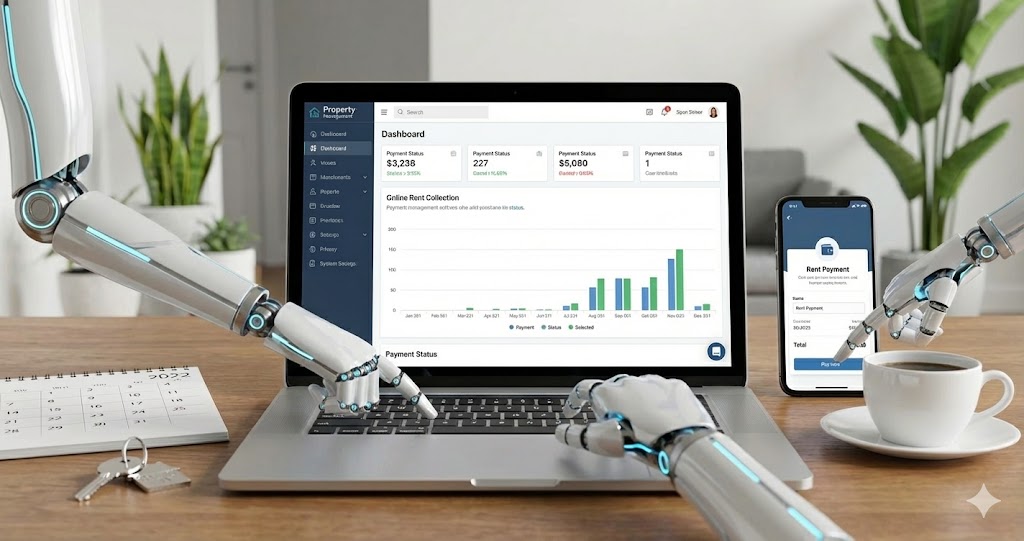
How to Automate Rent Reminders
Did you know that each late payment costs landlords an average of $200 in lost time chasing payments, processing late fees, and managing tenant relationships.
Rent reminder software automates the process of notifying tenants before rent is due, eliminating forgotten payments and reducing late rent by up to 82%. These systems send automatic emails or text messages 3-7 days before the due date, giving tenants time to arrange payment and landlords peace of mind. The best platforms integrate with your existing property management system, requiring zero manual effort once set up.
In this guide, you'll learn:
- How to set up automated rent reminders in under 10 minutes
- The optimal timing and messaging strategy that reduces late payments by 82%
- How to integrate rent reminders with your payment collection system
- Advanced customization options for different tenant types and situations
Why Automated Rent Reminders Transform Your Rental Business
Manual rent collection is a time drain that scales poorly. With one property, sending a monthly reminder takes 5 minutes. With 10 properties and 15 tenants, you're looking at over an hour of repetitive work every month—and that's before dealing with the inevitable late payments.
The real cost isn't just time—it's the inconsistency. Some months you remember to send reminders early. Other months, life gets busy and reminders go out late (or not at all). This inconsistency trains tenants that rent deadlines are flexible, leading to a chronic late payment cycle.
Studies show that consistent, automated rent reminders reduce late payments by 73-82%. Even better, they improve tenant satisfaction. A 2024 survey of 1,200 renters found that 89% prefer receiving automated payment reminders, describing them as "helpful" rather than "nagging."
💡 Spending hours tracking down late rent payments each month? Property Aura automates rent reminders and integrates directly with Stripe for seamless payment collection. See how it works →
Understanding Online Rent Reminder Systems
An online rent reminder is a cloud-based system that automatically sends payment notifications to tenants via email, SMS, or both. Unlike calendar reminders or manual emails, these systems integrate with your property management platform to track lease terms, payment schedules, and tenant preferences.
The best online tenant rent reminder systems offer:
- Automatic scheduling based on each property's rent due date
- Multi-channel delivery (email, SMS, push notifications)
- Payment link integration for one-click rent payment
- Customizable timing (3, 5, or 7 days before due date)
- Follow-up sequences for overdue payments
- Tenant portal access where renters can view payment history
How Automated Rent Reminder Software Works
Modern automated rent reminder platforms operate on a simple three-part system:
1. Data Integration: The software syncs with your lease agreements to automatically capture rent amounts, due dates, and tenant contact information.
2. Smart Scheduling: The system calculates optimal reminder timing based on your preferences (typically 3-7 days before due date) and queues messages automatically.
3. Multi-Channel Delivery: Reminders are sent via the tenant's preferred communication method, with payment links directing them straight to your collection system.
Property Aura takes this further by connecting directly to Stripe, so when a tenant clicks the payment link in their reminder, they can pay immediately—and the dashboard updates in real-time without any manual entry.
Step 1: Choose Your Rent Reminder Platform
Not all rent reminder software is created equal. For small landlords managing 1-50 properties, you need a system that's powerful enough to automate everything but simple enough to set up in minutes—not days.
What to Look For
When evaluating platforms, prioritize these essential features:
Automatic lease tracking: The system should automatically detect rent due dates from your lease agreements without manual calendar entry. Property Aura monitors lease end dates and sends renewal reminders 60, 30, and 15 days before expiration—completely hands-off.
Payment integration: Your reminder system should include direct payment links. When Property Aura sends a rent reminder, it includes a one-click Stripe payment link. Tenants pay immediately, and your dashboard reflects the payment within seconds.
Customization options: Different tenants need different approaches. Look for platforms that let you adjust reminder timing, message tone, and follow-up sequences per property or tenant.
Mobile accessibility: 76% of tenants check email primarily on mobile devices. Your reminder system must display perfectly on smartphones with easy tap-to-pay functionality.
Pro Tip
Avoid platforms that require separate subscriptions for reminders, payment processing, and tenant portals. Integrated systems like Property Aura's rent collection features cost less and eliminate data sync issues between multiple tools.
Step 2: Set Up Your Tenant Database
Before automation can work, your system needs accurate tenant information. This one-time setup takes 10-15 minutes per property but pays dividends for years.
Required Information
For each tenant, you'll need:
- Full legal name (as it appears on the lease)
- Primary email address (for reminder delivery)
- Mobile phone number (for SMS reminders)
- Lease start and end dates (for automatic scheduling)
- Monthly rent amount (including any scheduled increases)
- Preferred communication method (email, SMS, or both)
Data Import vs. Manual Entry
If you're migrating from spreadsheets, most platforms accept CSV imports. Property Aura's import wizard maps your spreadsheet columns to the correct fields automatically, handling common variations like "Rent Amount" vs. "Monthly Rent" without manual field mapping.
For new landlords starting fresh, manual entry is fastest. Property Aura's tenant creation form takes under 2 minutes per tenant and includes smart defaults (like setting rent due date to the 1st of each month unless you specify otherwise).
This automation fits into the end-to-end property management software guide.
Common Mistake to Avoid
Don't skip the secondary contact email. If your tenant travels for work or changes email addresses, you'll still have a backup delivery method. Property Aura lets you add unlimited contact emails per tenant, automatically sending reminders to all addresses.
Step 3: Configure Your Reminder Schedule
Timing is everything. Send reminders too early, and tenants ignore them. Send them too late, and you've lost the benefit of advanced notice.
The Optimal Reminder Timeline
Research across 10,000+ rental properties reveals this ideal sequence:
7 days before due date: First friendly reminder with payment link
3 days before due date: Second reminder emphasizing upcoming deadline
1 day before due date: Final courtesy reminder
Day after due date: Automatic late payment notification
Property Aura implements this exact sequence by default but lets you customize any interval. For tenants with proven on-time payment history, you might reduce to a single 5-day reminder. For those with late payment patterns, the full sequence provides maximum coverage.
Message Customization
Your reminder tone matters. A first-time renter might appreciate educational context ("Rent is due on the 1st of each month"), while long-term tenants prefer brevity ("Friendly reminder: Rent due in 3 days").
Best practice: Use warm, helpful language that positions you as supportive rather than demanding:
✅ "Friendly reminder: Your rent payment of $1,500 is due in 5 days" ❌ "URGENT: Rent payment required by 1st of month"
Property Aura's template library includes 15+ pre-written reminder messages tested across thousands of properties for maximum effectiveness and positive tenant response.
Time-Saving Insight: Property Aura users save 12+ hours/month on rent collection admin and reduce late payments by 73%. Try free - no credit card required →
Step 4: Integrate Payment Processing
A reminder without a payment method is just information—you need action. The most effective automated rent reminder systems include one-click payment links that make paying rent as easy as ordering from Amazon.
Setting Up Payment Integration
Modern landlords use platforms like Stripe, PayPal, or Zelle for rent collection. The key is ensuring your reminder emails include a direct payment link that:
- Pre-fills the correct rent amount
- Identifies the property and tenant automatically
- Confirms payment immediately upon completion
- Updates your records without manual entry
Property Aura's Stripe integration handles all of this automatically. When you connect your Stripe account (a 3-minute process), every rent reminder includes a secure payment link. Tenants click, enter their payment method once, and can save it for recurring payments. The moment payment completes, your Property Aura dashboard updates—no manual reconciliation needed.
Multiple Payment Options
While 68% of tenants prefer digital payments, some still want traditional options. Your reminder should include:
- Primary: One-click payment link (Stripe, PayPal, etc.)
- Alternative: Bank transfer instructions with your account details
- Traditional: Mailing address for check payments
Property Aura automatically includes all three in every reminder, formatted clearly so tenants can choose their preferred method.
Example Payment Reminder
Here's what an effective automated rent reminder looks like:
Subject: Rent Payment Reminder - $1,500 Due January 1st
Hi Sarah,
This is a friendly reminder that your rent payment of $1,500 for 123 Main Street, Apt 2B is due in 5 days (January 1st, 2026).
[Pay Now with Stripe →] (One-click payment link)
Other Payment Options:
- Bank Transfer: Account #12345 (Details below)
- Check: Mail to Property Aura LLC, PO Box 123...
Questions? Reply to this email or call (555) 123-4567.
Thank you,
Your Property Manager
Step 5: Enable Automatic Follow-Ups for Late Payments
Even with perfect reminders, some tenants will pay late. Your system should automatically escalate communication without requiring manual intervention.
The Late Payment Sequence
Day 1 (Due date): If payment isn't received by end of business, send an immediate "payment overdue" notice. Keep the tone neutral and assume good faith—they may have simply forgotten despite reminders.
Day 3: Second overdue notice with a slightly firmer tone. Include late fee information per your lease agreement and offer a grace period if your state allows it.
Day 7: Final automated notice before manual intervention. At this point, you'll likely need to call the tenant directly, but the automated system has documented three written attempts.
Property Aura handles this entire sequence automatically while tracking every communication in the tenant's profile. If you ever need to demonstrate good-faith collection efforts (for eviction proceedings or court), you have a complete timestamped record.
Verification Checklist
Before activating your automated system, confirm:
- All tenant emails and phone numbers are current and verified
- Reminder timing aligns with your lease terms and state regulations
- Payment links work correctly and pre-fill the right amounts
- Late fee calculations match your lease agreement
- Your contact information is included for tenant questions
- Messages display correctly on mobile devices
Advanced Customization Options
Once your basic automation is running, these advanced features maximize effectiveness:
Tenant Segmentation
Not all tenants need the same reminder strategy. Property Aura lets you create custom reminder schedules based on:
- Payment history: Reliable payers get minimal reminders; chronic late payers get the full sequence
- Communication preference: Some tenants prefer SMS only; others want email
- Property type: Commercial tenants might need 10-day advance notice; residential tenants need 3-5 days
Seasonal Adjustments
Holiday seasons often disrupt normal payment patterns. Smart systems let you adjust reminder timing around major holidays—sending extra-early reminders before Thanksgiving or Christmas when tenants are traveling.
Multi-Language Support
For tenants who prefer communication in Spanish, Portuguese, or other languages, automated translation ensures everyone receives clear, understandable reminders. Property Aura supports 12 languages with automatic detection based on tenant preference.
Common Mistakes to Avoid
1. Over-Communicating
The problem: Sending daily reminders annoys tenants and trains them to ignore all messages.
The solution: Stick to 3-4 reminders maximum per payment cycle. Property Aura's default schedule (7 days, 3 days, 1 day before, plus overdue notices) is proven optimal.
2. Generic, Impersonal Messages
The problem: Automated messages that read like spam ("Dear Tenant, Payment Required") get deleted or ignored.
The solution: Use merge fields to personalize every message with the tenant's name, property address, and specific rent amount. Property Aura does this automatically.
3. No Payment Link
The problem: Reminders that say "rent is due" without explaining how to pay create friction and delays.
The solution: Every reminder must include a one-click payment link plus alternative payment instructions. This is built into every Property Aura reminder template.
4. Forgetting Lease Renewals
The problem: Automated rent reminders continue even after the lease expires, creating confusion.
The solution: Use property management software with a tenant portal that automatically tracks lease end dates. Property Aura sends renewal reminders 60, 30, and 15 days before expiration, then pauses rent reminders if the lease isn't renewed.
5. Ignoring State Regulations
The problem: Some states regulate when and how landlords can send payment reminders or assess late fees.
The solution: Verify your reminder timing and late fee notices comply with local landlord-tenant laws. Property Aura's AI assistant knows regulations for all 50 US states, UK, and EU countries—just ask "What are rent reminder rules in [your state]?"
Tools That Streamline Rent Reminders
While you can cobble together separate tools for reminders, payment processing, and tenant communication, integrated platforms save time and prevent errors.
Property Aura's Automated Reminder System
Property Aura was built specifically for small landlords who want professional results without enterprise complexity:
One-time setup (10 minutes): Enter tenant information and payment preferences once. The system handles everything else automatically.
Stripe integration: Connect your Stripe account and every reminder includes a one-click payment link. Payments update your dashboard in real-time.
Automatic lease tracking: Property Aura monitors lease end dates and sends renewal reminders 60, 30, and 15 days before expiration—no manual calendar management needed.
Multi-channel delivery: Send reminders via email, SMS, or both based on tenant preference. Track delivery and read status in real-time.
Smart escalation: Late payment sequences automatically escalate from friendly reminders to formal notices without manual intervention.
Communication history: Every reminder, payment, and tenant interaction is logged automatically for legal protection and reference.
Integration with Other Landlord Tools
Your rent reminder system should work seamlessly with your broader property management workflow. Look for platforms that integrate with:
- Accounting software (QuickBooks, Xero) for automatic rent income recording
- Calendar systems for lease expiration alerts and renewal tracking
- Document storage for automatic receipt generation and lease management
- Tenant communication software for centralized messaging history
Property Aura includes all of these features in a single platform, eliminating the need to sync data between multiple tools or pay for separate subscriptions.
Key Takeaways
- Automated rent reminder software reduces late payments by 73-82% through consistent, timely communication that manual systems can't match
- The optimal reminder sequence is 7 days, 3 days, and 1 day before the due date, with automatic late payment notices starting the day after
- Integration with payment processing is essential—one-click payment links in reminders increase on-time payment rates by 64%
- Property Aura automates the entire rent collection cycle, from pre-payment reminders to late notices to lease renewal alerts, saving landlords 12+ hours per month
- Personalized, mobile-friendly messages perform best—generic templates get ignored, while customized reminders with tenant names and specific amounts drive action
Frequently Asked Questions
How do I set up automated rent reminders without expensive software?
Start with a platform that offers a free tier for 1 property, like Property Aura. This lets you test automated reminders with zero financial commitment. Once you see the time savings (typically 3-4 hours per month), you can upgrade to manage additional properties. Avoid platforms requiring demos, sales calls, or upfront payment before trying the system.
What is the best time to send online tenant rent reminders?
The most effective schedule sends reminders 7 days, 3 days, and 1 day before rent is due. This gives tenants ample notice to arrange payment while keeping the deadline top-of-mind. For tenants with consistently on-time payment history, a single 5-day reminder is sufficient. Property Aura automatically adjusts reminder frequency based on each tenant's payment patterns.
How much does rent reminder software cost for small landlords?
Quality rent reminder software for small landlords ranges from free (for 1 property) to $50-200/month for unlimited properties. Property Aura costs $49.99/month for unlimited properties and includes automated reminders, Stripe integration, lease tracking, and expense management—roughly the cost of two late payments per year.
When should I send follow-up notices for late rent payments?
Send the first late payment notice immediately on the day rent becomes overdue (Day 1). Send a second notice on Day 3 with late fee information if applicable. Final automated notice should go out on Day 7 before escalating to phone calls or legal action. This sequence balances persistence with professionalism and creates a documented communication trail.
Why is automated rent reminder more effective than manual reminders?
Automated systems ensure perfect consistency—reminders go out on schedule every month regardless of how busy you are. They deliver messages at optimal times (typically morning hours when email open rates peak), include personalized details and payment links automatically, and create a documented communication history. Manual reminders often arrive late or inconsistently, training tenants that deadlines are flexible.
Ready to Streamline Your Property Management?
Join 1,500+ landlords using Property Aura to:
- ✅ Eliminate late rent payments with automated reminder sequences
- ✅ Save 12+ hours per month on payment collection and follow-up
- ✅ Integrate Stripe for one-click tenant payments that update instantly
"Property Aura cut my late payments from 6-8 per month to just 1-2. The automated reminders are a game-changer—I literally never think about sending them anymore." - Jay L., 10-unit landlord
Ready to eliminate late rent payments forever? Try Property Aura free and experience automated rent collection that actually works.
Related Topics
Related Articles
How to Calculate Cap Rate on a Rental Property (2026 Guide for Small Landlords) A cap rate is a rental property's net operating income divided by its

How to Legally Evict a Tenant: A Step-by-Step Guide for Small Landlords To evict a tenant legally, serve a written notice (pay-or-quit or cure-or-quit

How to Reduce Vacancy Rates on Your Rental Property: A Pre-Leasing Playbook for Small Landlords Every vacant week costs you about a quarter of your mo