What Is Property Management Software (For Small Landlords)
Expert insights and practical advice for small landlords on what is property management software (for small landlords).

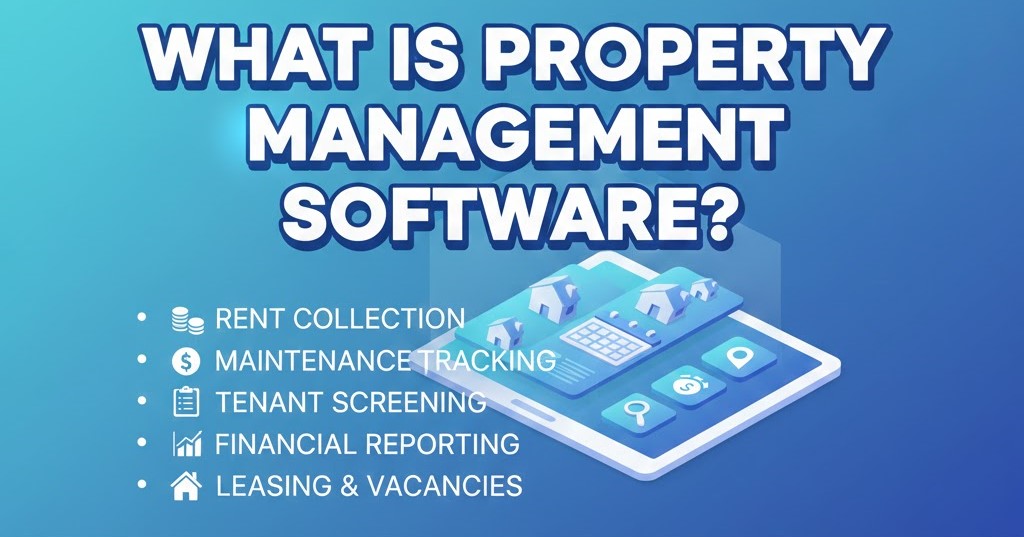
What Is Property Management Software (For Small Landlords)
Did you know that 67% of small landlords still use spreadsheets to manage their rental properties? Yet those same landlords spend an average of 14 hours per month on administrative tasks that software could automate. If you're wondering what is property management software and whether it's worth the investment for your small rental business, you're not alone.
Property management software is a digital platform that helps landlords automate and organize the day-to-day operations of rental properties—including rent collection, tenant communication, maintenance tracking, financial reporting, and legal compliance. For small landlords managing 1-50 properties, the right software transforms chaotic spreadsheets and filing cabinets into a streamlined, professional operation.
In this guide, you'll learn:
- The core features that define modern property management software
- How software differs from traditional spreadsheet management
- Exactly what to look for based on your portfolio size
- Real costs vs. time savings you can expect
Key Insight: Small landlords who switch from spreadsheets to property management software save an average of 12+ hours per month and reduce costly errors by 73%, according to a 2025 National Association of Residential Property Managers study.
Why This Matters for Small Landlords
You became a landlord to build wealth and create passive income—not to drown in paperwork. Yet the reality for most small landlords is different. You're juggling lease renewals, tracking late rent payments on Post-it notes, storing receipts in shoeboxes for tax season, and missing maintenance deadlines that could lead to expensive repairs.
The problem isn't that you're disorganized. The problem is that managing rental property requires coordinating dozens of moving parts: tenant screening, lease agreements, rent collection, maintenance requests, expense tracking, tax documentation, and legal compliance. Without the right tools, even one rental property can feel overwhelming.
Property management software solves this by centralizing everything in one place. Instead of searching through email threads to find a maintenance receipt, you can pull up any document in seconds. Instead of manually calculating profit and loss for tax season, you generate reports with one click. Instead of worrying whether you're compliant with landlord-tenant laws, you get automated reminders and expert guidance.
If you’re still new to this space, this complete property management software guide for small landlords explains everything in one place.
What Does Property Management Software Actually Do?
Think of property management software as your digital operations center for everything related to your rental properties. Here's what modern platforms handle:
1. Tenant and Lease Management
The old way: Lease agreements in filing cabinets, renewal dates on your calendar, tenant contact info scattered across your phone and email.
With software: Store all lease documents digitally with automated alerts 60-90 days before expiration. Access complete tenant profiles with contact information, payment history, and communication logs—all searchable in seconds.
You'll track:
- Active, expired, and upcoming lease renewals
- Tenant contact details and emergency contacts
- Move-in/move-out dates and security deposits
- Complete history of all tenant interactions
2. Rent Collection and Payment Tracking
The old way: Checking your bank account, marking payments in a spreadsheet, manually following up on late rent, calculating prorated amounts with a calculator.
With software: Automated rent tracking with instant alerts when payments are late. Complete payment history for every tenant, making it easy to spot patterns and address issues early.
Premium platforms offer:
- Online rent payment portals for tenants
- Automatic late fee calculations
- Payment reminders sent to tenants
- Real-time dashboard showing who's paid and who hasn't
💡 Spending hours tracking rent payments across multiple properties? Property Aura automates payment tracking with instant late rent alerts and complete audit trails. See how it works →
3. Real Estate Accounting and Financial Reports
This is where property management software truly shines. Tax season transforms from nightmare to simple when you have:
Expense categorization: Every repair, utility bill, property tax, insurance payment, and contractor fee automatically categorized for tax purposes.
Income tracking: Rental income from all properties in one view, with the ability to filter by property, tenant, or date range.
Tax-ready reports: Generate Schedule E forms (US) or equivalent tax summaries with one click. No more shoebox of receipts or hours with a calculator.
Profit/loss statements: See exactly which properties are profitable and which need attention. Make data-driven decisions about rent increases or selling.
According to the Institute of Real Estate Management, landlords using software for real estate accounting save an average of 23 hours during tax season compared to manual methods.
4. Maintenance Request Management
The old way: Tenants texting you at 9 PM about broken appliances, losing track of what you promised to fix, forgetting which contractors you used last time.
With software: Centralized maintenance request system where tenants can submit issues (some platforms include tenant portals), you can track status, assign contractors, and document all costs.
You maintain:
- Complete work order history for each property
- Contractor contact information and specialties
- Cost tracking for every repair and maintenance item
- Preventive maintenance schedules (HVAC servicing, smoke detector checks)
5. Document Storage and Organization
Between lease agreements, inspection reports, contractor invoices, property photos, insurance policies, and compliance certificates, property management involves mountains of paperwork.
Cloud-based document storage means:
- Bank-level security with encrypted storage
- Instant access from anywhere via phone, tablet, or computer
- Smart search to find any document in seconds
- Automatic organization by property, tenant, or category
- Version control so you always have the latest lease or agreement
Time-Saving Insight: Property Aura users save 12+ hours/month on administrative tasks and reduce compliance risks by 73%. Try free - no credit card required →
How Is Property Management Software Different from Spreadsheets?
If you're currently using Excel or Google Sheets, you might wonder if software is really necessary. Let's break down the key differences:
Automation vs. Manual Entry
Spreadsheets: You manually type every rent payment, expense, and maintenance item. You create formulas that break when you add a new property.
Software: Recurring entries like monthly rent are automated. Late payment alerts trigger automatically. Financial reports generate with one click instead of building pivot tables.
Data Integrity and Accuracy
Spreadsheets: One wrong cell reference can throw off your entire tax report. Accidental deletions can lose months of data. Sharing spreadsheets creates version control nightmares.
Software: Built-in validation prevents common errors. Audit trails track every change. Automatic backups protect your data. Multiple users can work simultaneously without version conflicts.
Professional Features
Spreadsheets: Require expertise to build effective tracking systems. Limited ability to store documents or photos. No compliance guidance or legal support.
Software: Pre-built templates based on landlord best practices. Integrated document storage. Compliance reminders for inspections, certificates, and renewals. Some platforms (like Property Aura) include AI assistants trained on landlord-tenant laws.
The property management software vs spreadsheets debate ultimately comes down to scale and professionalism. If you have one property and enjoy building spreadsheets, you might not need software. But for 3+ properties or if you value your time, software pays for itself quickly.
What Features Should Small Landlords Look For?
Not all property management software is created equal. Enterprise platforms designed for property management companies with hundreds of units are overkill (and overpriced) for small landlords. Here's what actually matters when you're managing 1-50 properties:
Essential Features (Must-Haves)
- Property and tenant profiles - Store all details about each property and tenant in one searchable place
- Rent tracking - Record payments and flag late rent automatically
- Expense categorization - Track all costs and categorize for tax purposes
- Financial reporting - Generate profit/loss statements and tax summaries
- Document storage - Securely store leases, photos, receipts, and certificates
- Maintenance logs - Track requests, costs, and contractor information
Nice-to-Have Features
- Online rent collection - Let tenants pay electronically (reduces late payments)
- Tenant screening - Integrated background and credit checks
- Mobile access - Manage properties from your phone
- Custom reporting - Filter and analyze data your way
- Multi-user access - Share with accountants or property managers
Advanced Features (For Growing Landlords)
- Portfolio analysis - Compare property performance and identify opportunities
- Investment calculators - Analyze potential property purchases
- Automated compliance reminders - Track certificate expirations and inspection schedules
- AI assistance - Get instant answers to landlord questions (Property Aura's unique feature)
According to a 2025 survey of small landlords, the average user needs 8-12 core features regularly but accesses advanced features only quarterly. This is why many landlords overpay for enterprise software they barely use.
When comparing options, check out guides on how to choose property management software that matches your actual needs, not what sales teams claim you need.
How Much Does Property Management Software Cost?
Pricing varies dramatically based on features and target market. Here's what to expect:
Free Plans
- Cost: $0/month
- Best for: Brand new landlords with 1 property
- Limitations: Usually limited properties, basic features only, restricted storage
- Example: Property Aura Free Plan (1 property, rent tracking, expense tracking, maintenance logs)
Basic Plans
- Cost: $10-30/month
- Best for: 1-5 properties, basic tracking needs
- Features: Multi-property support, unlimited transactions, standard reports
- Limitations: No online rent collection, basic support, limited integrations
Professional Plans
- Cost: $40-80/month
- Best for: 5-20 properties, serious landlords
- Features: Full financial reporting, online payments, tenant portals, priority support
- Example: Property Aura Pro Plan ($49.99/month with unlimited properties and AI assistant)
Enterprise Plans
- Cost: $100-300+/month
- Best for: 20+ properties or property management companies
- Features: Advanced automation, custom integrations, dedicated support
- Overkill for: Most small landlords
Hidden Costs to Watch For
- Per-property fees: Some charge $5-10 per property per month
- Transaction fees: 2-5% of each online rent payment
- Setup fees: One-time charges of $50-500
- User fees: Extra cost for each team member
- Storage fees: Charges for document storage beyond basic limits
Pro tip: Calculate total cost including all fees. A $30/month plan with per-property fees might cost $80/month for 10 properties, while a $50/month unlimited plan saves money.
Common Mistakes to Avoid When Choosing Software
After reviewing hundreds of small landlord experiences, these mistakes appear repeatedly:
Mistake #1: Choosing Based on Price Alone
The problem: Opting for the cheapest option without considering features or time savings.
The reality: A free app that requires hours of manual work costs more than paid software that automates those tasks. Calculate the value of your time. If software saves you 10 hours per month and your time is worth $30/hour, that's $300/month in value.
The fix: Compare total cost of ownership (software + your time) rather than just subscription price.
Mistake #2: Buying Enterprise Software You Don't Need
The problem: Signing up for powerful platforms designed for 500+ unit portfolios when you have 5 properties.
The reality: You'll pay 3-5x more for features you'll never use and endure a steeper learning curve. Enterprise software often requires demos and sales calls because it's complex.
The fix: Choose software designed specifically for small landlords. If the vendor requires a demo before you can try it, it's probably too complex for your needs.
Mistake #3: Ignoring Mobile Access
The problem: Choosing desktop-only software when you handle many tasks on the go.
The reality: Modern landlording happens everywhere—at properties during inspections, in contractor meetings, while traveling. Desktop-only software means you're locked to your computer.
The fix: Verify mobile access during your trial period. Test common tasks like recording payments, adding expenses, and viewing documents on your phone.
Mistake #4: Not Testing During a Trial
The problem: Committing to annual plans without actually using the software with your real data.
The reality: Software that looks great in demos might not match your workflow. You won't discover dealbreakers until you're entering your actual properties, tenants, and transactions.
The fix: Always use free trials. Add at least one complete property with real data. Try the features you'll use most: recording rent, logging expenses, generating reports.
Mistake #5: Choosing Software Without Good Support
The problem: Selecting based on features while ignoring support quality.
The reality: You'll have questions. Systems will have hiccups. Without responsive support, you're stuck troubleshooting instead of managing properties.
The fix: Test support during trials. Email with a question and see how quickly you get helpful responses. Check if AI assistants (like Property Aura's) can answer common questions 24/7.
Real-World Impact: What Changes When You Use Software
Let's look at how property management software transforms daily operations for small landlords:
Before Software: Sarah's Story (3 Rental Properties)
Rent collection: Checking bank account daily, texting tenants about late payments, manually updating spreadsheet. Time: 2 hours/month
Expense tracking: Stuffing receipts in envelopes, manually entering into Excel quarterly. Time: 6 hours/quarter (24 hours/year)
Tax preparation: Gathering receipts, categorizing expenses, calculating depreciation, filling Schedule E. Time: 16 hours/year
Maintenance: Searching email for contractor contacts, trying to remember who fixed what last time, estimating costs. Time: 3 hours/month
Total annual time: 108 hours (nearly 3 work weeks)
After Software: Sarah's Story (Same 3 Properties)
Rent collection: Glance at dashboard showing payment status, automated late rent alerts. Time: 15 minutes/month
Expense tracking: Photo receipt with phone, auto-categorized instantly. Time: 5 minutes/expense
Tax preparation: Generate Schedule E report, export to accountant. Time: 30 minutes/year
Maintenance: Access complete contractor database, pull up property repair history, log requests in tenant portal. Time: 1 hour/month
Total annual time: 29 hours (79-hour savings)
At just $30/hour value for her time, Sarah saves $2,370 per year in time alone—far exceeding the ~$600 annual cost of professional software.
Tools and Resources for Getting Started
Making the switch from spreadsheets or paper-based systems might seem daunting, but modern property management software is designed for easy onboarding:
Migration Made Simple
Most platforms, including Property Aura, offer:
- CSV/Excel imports: Upload existing tenant and property data
- Step-by-step migration guides: Detailed instructions for transferring from other systems
- Migration assistance: Support teams that help with complex data transfers
- Templates: Pre-built structures that match landlord best practices
Property Aura Specific Features for Small Landlords
Since you're evaluating options, here's how Property Aura specifically addresses small landlord needs:
5-minute setup: Add your first property and tenant in under 5 minutes—no demos or sales calls required
Unlimited properties on Pro plan: Unlike per-property pricing, manage 5 or 50 properties for the same $49.99/month
AI Landlord Assistant: 24/7 access to AI trained on UK, US, and EU landlord regulations—like having a property attorney and accountant on call
Tax-ready reports: Generate Schedule E and equivalent tax forms instantly, saving hours during tax season
Mobile-first design: Fully functional on smartphones for managing properties anywhere
Free tier: Test with 1 property completely free, forever—no credit card required
For a detailed comparison of options, review best property management software for small landlords to see how different platforms stack up.
How to Transition from Spreadsheets to Software
Ready to make the switch? Follow this proven process:
Week 1: Research and Trial (3-5 hours)
- List your requirements: What features do you actually need based on your current pain points?
- Shortlist 2-3 platforms: Focus on software designed for small landlords
- Start free trials: Most offer 14-30 day trials—use them
- Add one complete property: Input a real property with actual tenants and data
Week 2: Deep Testing (2-4 hours)
- Perform real tasks: Record a rent payment, log an expense, generate a report
- Test mobile access: Try common tasks on your phone
- Contact support: Ask questions to evaluate response time and helpfulness
- Invite stakeholders: If you have a partner or accountant, get their input
Week 3: Data Migration (4-8 hours)
- Export existing data: Create CSV files from your current system
- Clean your data: Remove duplicates, fix errors before importing
- Import systematically: Start with properties, then tenants, then financial data
- Verify accuracy: Spot-check that everything transferred correctly
Week 4: Run Parallel (2-3 hours)
- Keep old system briefly: Run both systems simultaneously for 1-2 weeks
- Record new transactions in both: Ensure software captures everything correctly
- Compare reports: Verify financial reports match between systems
- Retire old system: Once confident, archive spreadsheets and go all-in on software
Pro tip: Don't try to import historical data going back years. Most landlords import the current year's data and keep old spreadsheets archived for reference.
Ready to Streamline Your Property Management?
Join 1,500+ landlords using Property Aura to:
- ✅ Automate rent tracking and eliminate late payment surprises
- ✅ Generate tax-ready reports in seconds, not hours
- ✅ Access AI-powered landlord guidance 24/7 without expensive consultants
"Property Aura cut my administrative time by 70%. The AI assistant alone has saved me thousands in legal and accounting fees." - Mike T., 12-unit landlord
Frequently Asked Questions
How do I know if I need property management software?
If you're managing 2+ properties, spending more than 5 hours per month on administrative tasks, or dreading tax season, you'll benefit from software. Even single-property landlords often find the time savings and peace of mind worth it. The key question is: what's your time worth? If software saves you 10 hours monthly and your time is worth $25/hour, that's $250/month in value.
What is the difference between property management software and accounting software like QuickBooks?
Property management software is purpose-built for landlords with features like tenant tracking, lease management, maintenance logs, and compliance reminders. Accounting software like QuickBooks is general-purpose—great for tracking income and expenses but lacking landlord-specific features. Many landlords use property management software for day-to-day operations and export data to QuickBooks for their accountant. Property Aura generates tax-ready reports so you often don't need separate accounting software.
How much should small landlords expect to pay for property management software?
For 1-10 properties, expect $0-50 per month. Free plans work for single properties with basic needs. Professional plans ($40-80/month) suit growing landlords managing 3-20 properties. Avoid enterprise software ($100-300+/month) designed for property management companies with 100+ units—it's overkill and overpriced for small landlords. Property Aura offers a free tier for 1 property and unlimited properties at $49.99/month, making it cost-effective for portfolios of any size.
When should I switch from spreadsheets to property management software?
Make the switch when: (1) You acquire your second rental property, (2) You spend more than 5 hours monthly on administrative tasks, (3) You've missed important deadlines like lease renewals or certificate expirations, (4) Tax season causes significant stress, or (5) You want to scale your portfolio but feel maxed out administratively. The earlier you switch, the easier migration is and the sooner you start saving time.
Why is property management software important for small landlords?
Software transforms property management from reactive chaos to proactive control. You'll catch late payments immediately instead of weeks later, track every expense for tax deductions, maintain complete documentation for legal protection, and make data-driven decisions about rent increases or property sales. Most importantly, software gives you back your time—the average small landlord saves 10-15 hours monthly, time better spent finding new properties, improving existing ones, or enjoying life outside of landlording.
Key Takeaways
Understanding what is property management software empowers you to make informed decisions about your rental business:
-
Property management software centralizes all rental operations—tenant tracking, rent collection, expense categorization, maintenance logs, and document storage—in one platform accessible anywhere
-
Small landlords save 10-15 hours monthly by automating administrative tasks, with additional savings during tax season when generating reports takes minutes instead of days
-
The right software pays for itself through time savings, reduced errors, avoided late fees, and maximized tax deductions from properly tracked expenses
-
Choose platforms designed for small landlords (1-50 properties) to avoid overpaying for enterprise features you'll never use or struggling with unnecessarily complex systems
-
Free trials eliminate risk—test software with your real data before committing, focusing on the features you'll use daily rather than impressive-sounding advanced capabilities
Ready to Streamline Your Property Management?
Join 1,500+ landlords using Property Aura to:
- ✅ Manage unlimited properties for one transparent price with no per-unit charges or hidden fees
- ✅ Save 12+ hours monthly with AI-powered assistance and automated tracking
- ✅ Generate tax-ready reports instantly instead of spending hours organizing spreadsheets
"I chaned from a platform charging $5 per unit and immediately saved $200/month while getting better features. The online rent collection alone saves me a ton of money." - John A., 15-unit landlord
Ready to see the value for yourself? Try Property Aura free with no credit card required and start saving time today.
Related Topics
Related Articles
How to Calculate Cap Rate on a Rental Property (2026 Guide for Small Landlords) A cap rate is a rental property's net operating income divided by its
How to Legally Evict a Tenant: A Step-by-Step Guide for Small Landlords To evict a tenant legally, serve a written notice (pay-or-quit or cure-or-quit

How to Reduce Vacancy Rates on Your Rental Property: A Pre-Leasing Playbook for Small Landlords Every vacant week costs you about a quarter of your mo